Learning Objectives
Understand what a Workload is
Understand how Workloads help developers manage sets of pods
Learn how to make informed decisions about workload strategies
Tommy now has a standardised way to package his ingredients, kitchen utensils, and other equipment for making his famous burger.
His next challenge is defining what customers can order and how the restaurant should prepare each order reliably.

| Restaurant reference | Kubernetes reference | Meaning |
|---|---|---|
| Menu item | Workload resource | A written definition of what should run, which containers it uses, and how Kubernetes should keep it running. |
| Number of servings | Replica count | The desired number of matching pods Kubernetes should maintain. |
| Customer preferences | Configuration | Settings that change behaviour without changing the packaged application image. |
Customer satisfaction is important to Tommy's business, so he recognises that customers will want flexibility and customisation when ordering from the menu.
To succeed, Tommy still needs a standardised way to describe each menu item and the rules for preparing it.
Poppy proposes defining courses in a menu that customers can order from, such as a burger or dessert. Each course includes how the dish is made and which customisations are allowed.

A Workload is an application or task running on Kubernetes. Developers define it with workload resources that specify which pods should run, how many replicas are needed, and which settings should be applied.
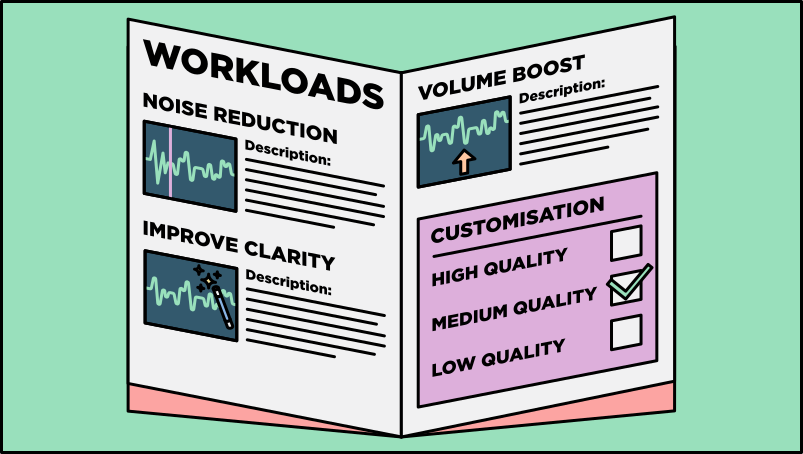
- Workload: An application or task that you want to run on a Kubernetes cluster, such as a web application, service, or batch job.
- Workload resource: A Kubernetes definition, such as a Deployment or Job, that tells the platform how pods should be created and maintained.
- Developers manage workload resources rather than manually managing each pod one by one.
If Tommy can clearly define what the customers can request from the menu, this will bring a number of benefits. Let’s take a look at those benefits.
In the restaurant, Tommy can update the menu and have the change reflected in operations. New food items can be added, recipes can be modified, or dishes can be removed without redesigning the whole kitchen.
Depending on the ingredients Tommy has on a specific day, the restaurant menu can be updated. For example, Tommy's butcher has new sausages, and Tommy wants to add a hotdog after repeated customer requests.

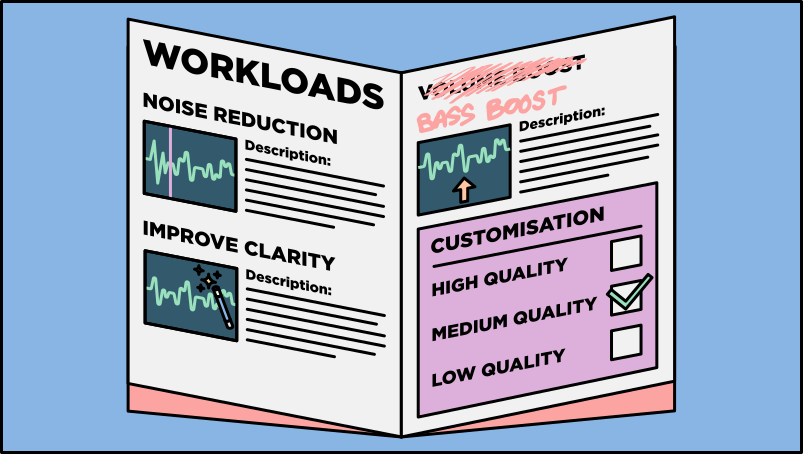
Workload resources let developers update how an application runs without rebuilding every supporting process. If the IT business replaces Volume Boost with Bass Boost, the workload definition can be updated to run the new option.
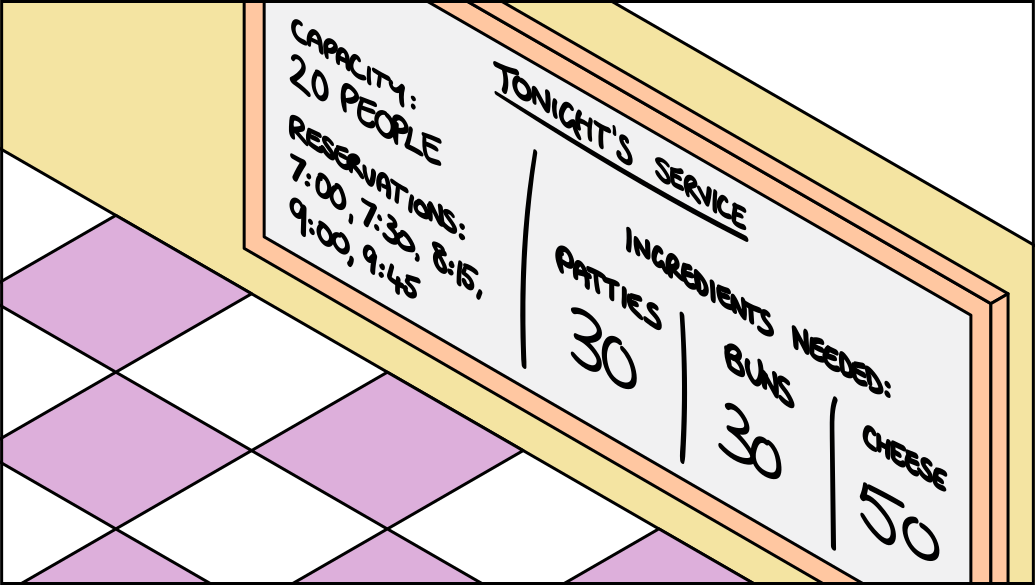
In Tommy’s restaurant you can plan by specifying how much of each food item should be prepared, how many servings to make and when to start cooking.
Before service, Tommy can provide details to his staff of the restaurant capacity, the reservations which can be expected, and therefore what needs to be prepared to meet this expected demand.
In Kubernetes, workload resources specify which pods are needed for each audio option, how many replicas should exist, and what settings they need so requests can be handled smoothly.
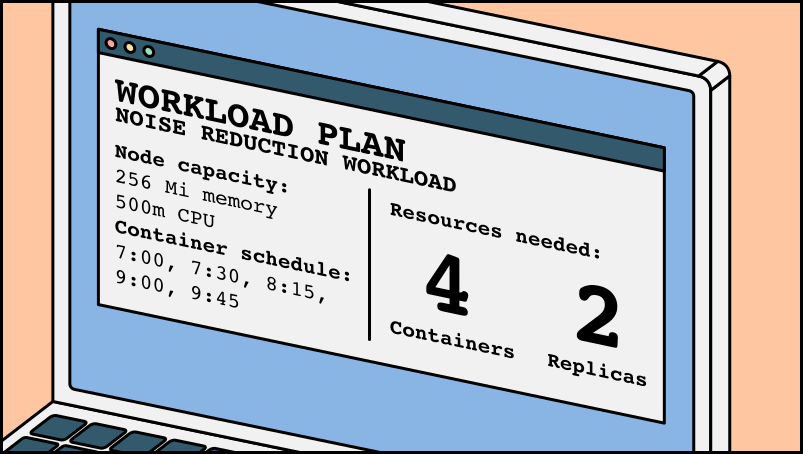
Prep chefs can define the desired state for each patty in a detailed recipe and let the digitised restaurant management system calculate the logistics of which ingredients are required and which table should receive them. The table chef can then cook to the same standard.
An example for Tommy is that a prep chef has created a spicy version of Tommy's burger. With a new detailed recipe and update to the menu, any prep chef can now create the spicy burger, enhancing productivity and minimising operational overhead.

This standardised approach means workload resources provide the details for running each audio option. Instead of one developer knowing how to deploy a specific option manually, any developer can use its workload definition.
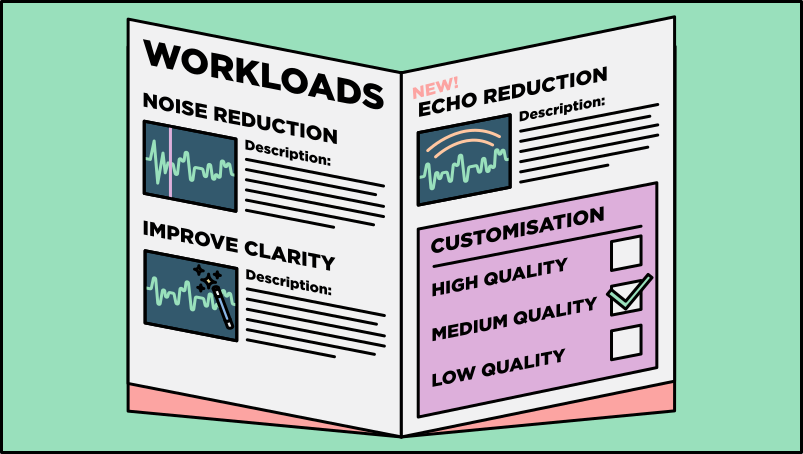
- Flexibility: Defining workloads makes it easier for developers to apply updates without disrupting unrelated parts of the application.
- Organisation: Workload resources describe the pods and settings required to run application work.
- Standardisation: Workload resources provide repeatable definitions for deploying code and maintaining the required pods.
- Container orchestration: Kubernetes uses workload resources to create, replace, and manage pods automatically.
In summary, workloads are the application work that should run on Kubernetes, and workload resources are the definitions Kubernetes uses to create and maintain pods. This gives developers a repeatable way to update, organise, and scale application work.
In this section we learned...
A workload is application work running on Kubernetes
Workload resources describe the pods, replicas, and settings Kubernetes should maintain
Defining workloads gives teams a repeatable way to organise containers and pods
Kubernetes uses workload resources to create, replace, and scale pods automatically
Now we can define application work using Workloads, we will next look at how Kubernetes coordinates that work.